Get more from
every pallet
Palletizer works out the best stack of cartons on a pallet and shows the result at once, in figures and in 3D. Five algorithms, standard pallet formats or a size of your own, three carton orientations, and the count per layer, the weight and the number of pallets. It’s free. Actually free.
- Free, no account.
- Every feature is free from the first open — no sign-up, no e-mail, no card and no trial period.
- Runs right in your browser.
- Everything is worked out locally, on your own device. There is nothing to install and nothing to upload to a server.
- 3D preview.
- Shows the carton and the whole pallet stack in 3D — the result follows every change you make.
- 11 pallet presets.
- European, American, Australian and Japanese formats to ISO 6780 — or set a size of your own.
- Millimetres or inches.
- Switch units at any moment — the sizes you have entered are converted for you.
- Carton dieline.
- Download the dieline of the finished carton as SVG or PDF and carry on with it.
Packing algorithms
Five ways to fill a pallet
From a basic stack to algorithms that look for a better placement of the cartons — switch the method with one click.
Even rows
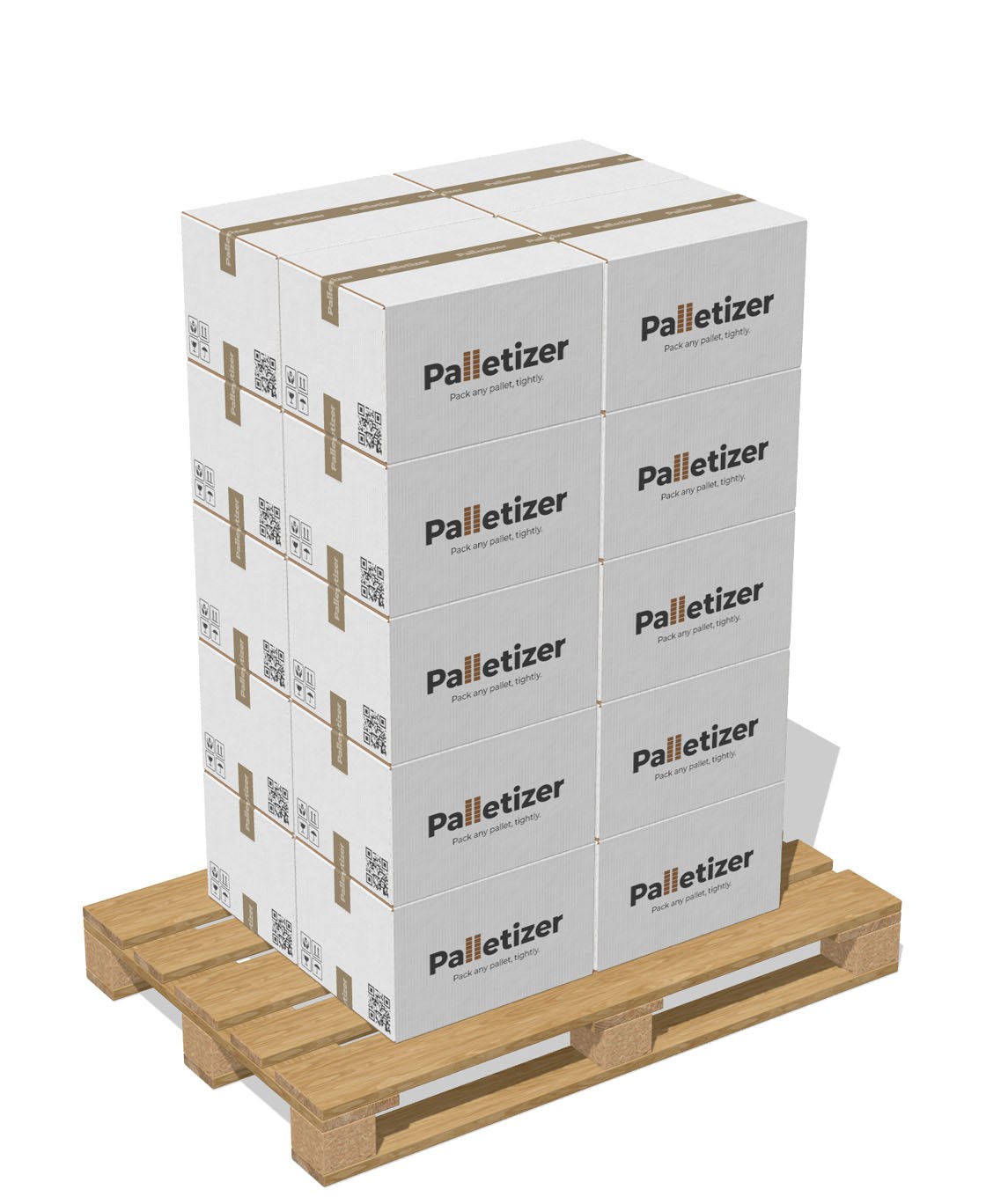
- One orientation for the whole pallet
- Fastest, and deterministic
- Made for uniform cartons on EUR or NA
- The easiest stack to load by hand
Two orientations
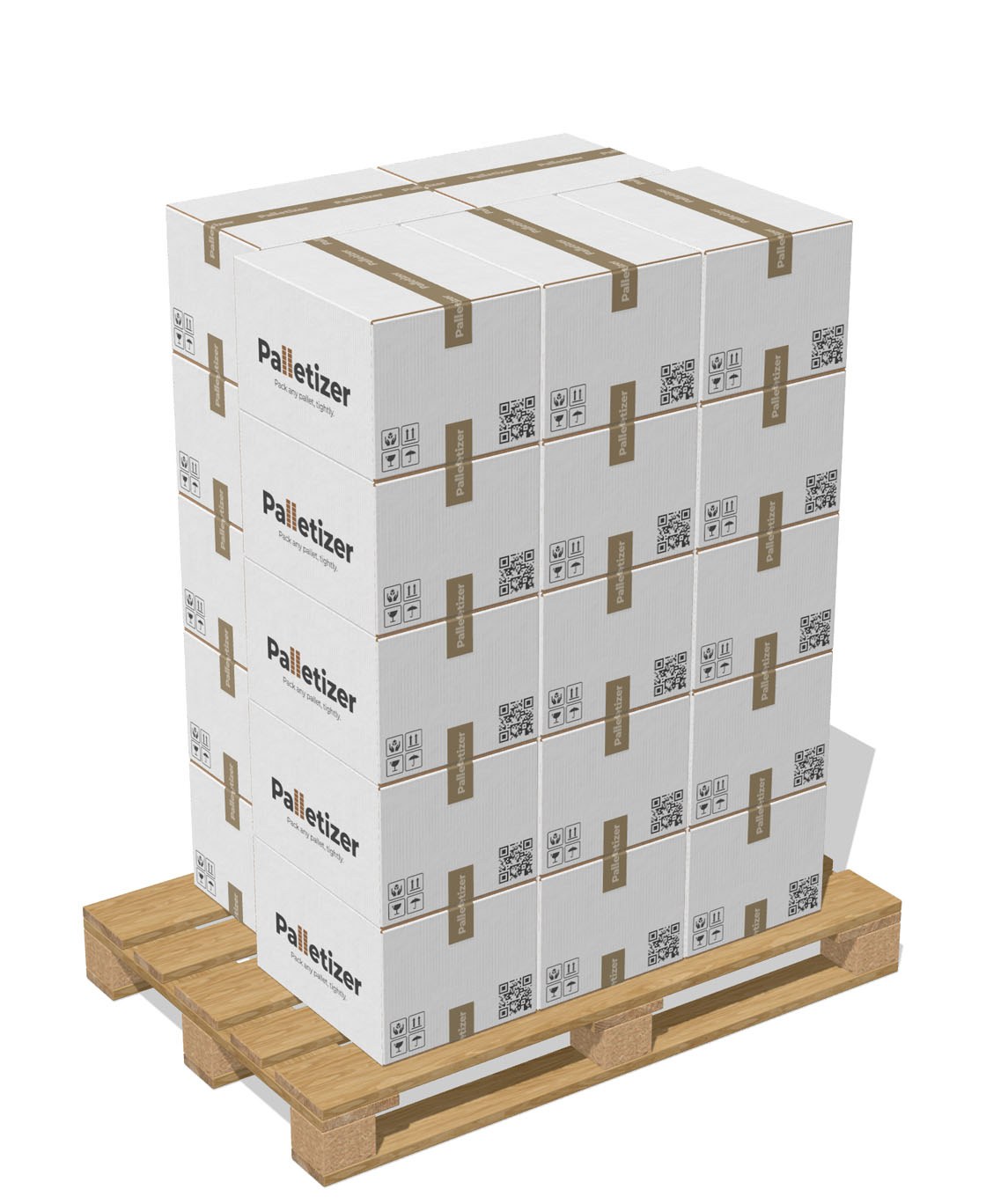
- Recovers the wasted edge band
- Best of four split variants
- Centred on the pallet automatically
- One orientation per stack column
Six positions
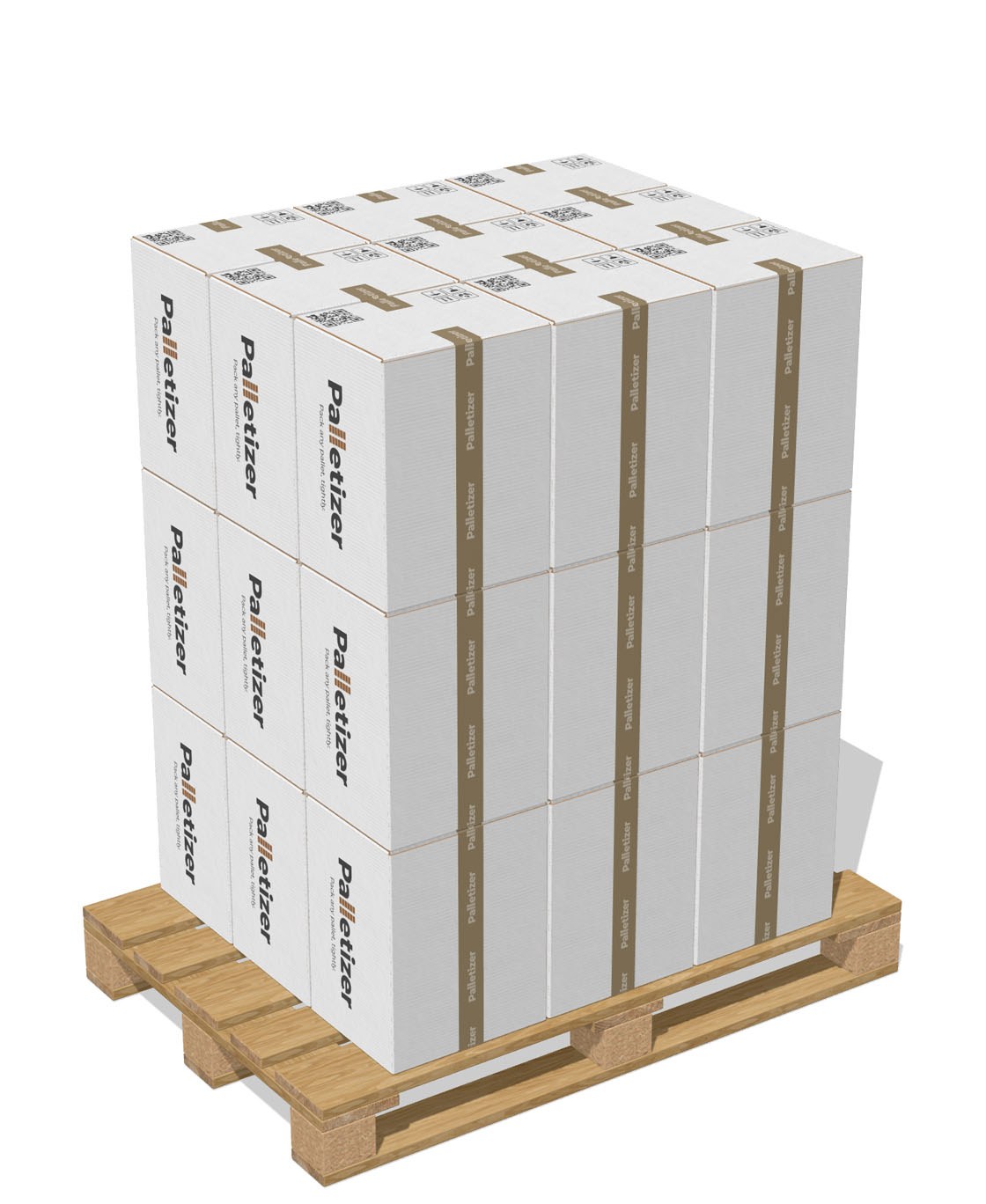
- Six box-on-face orientations tried
- Cartons may lie on a side
- One orientation for the whole stack
- Still layered, so still easy to brace
No fixed layers
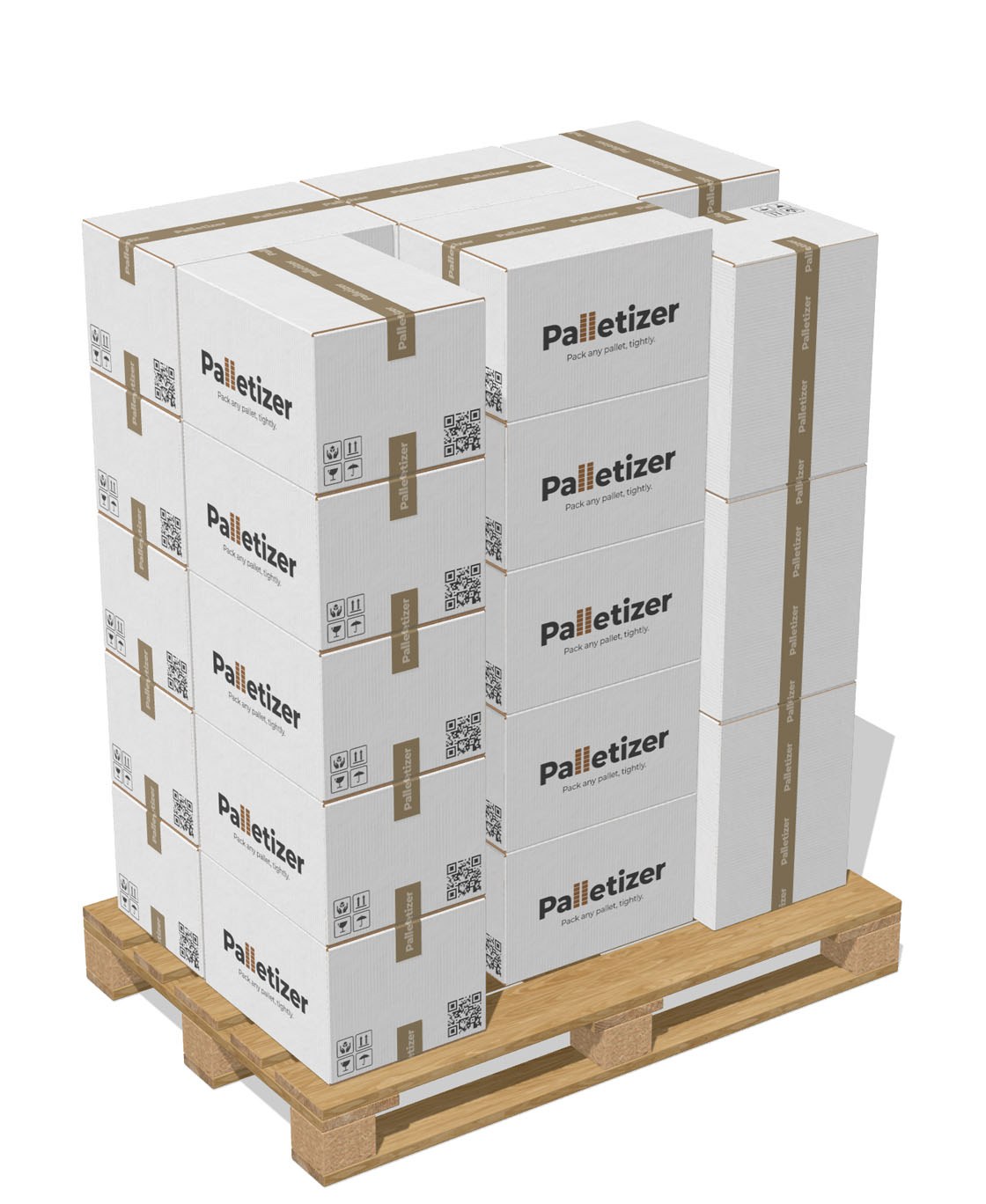
- Extreme-point best-fit packing
- Every carton placed independently
- Under 10 ms for a typical pallet
- Tight packing for mixed leftovers
Layers and volumes
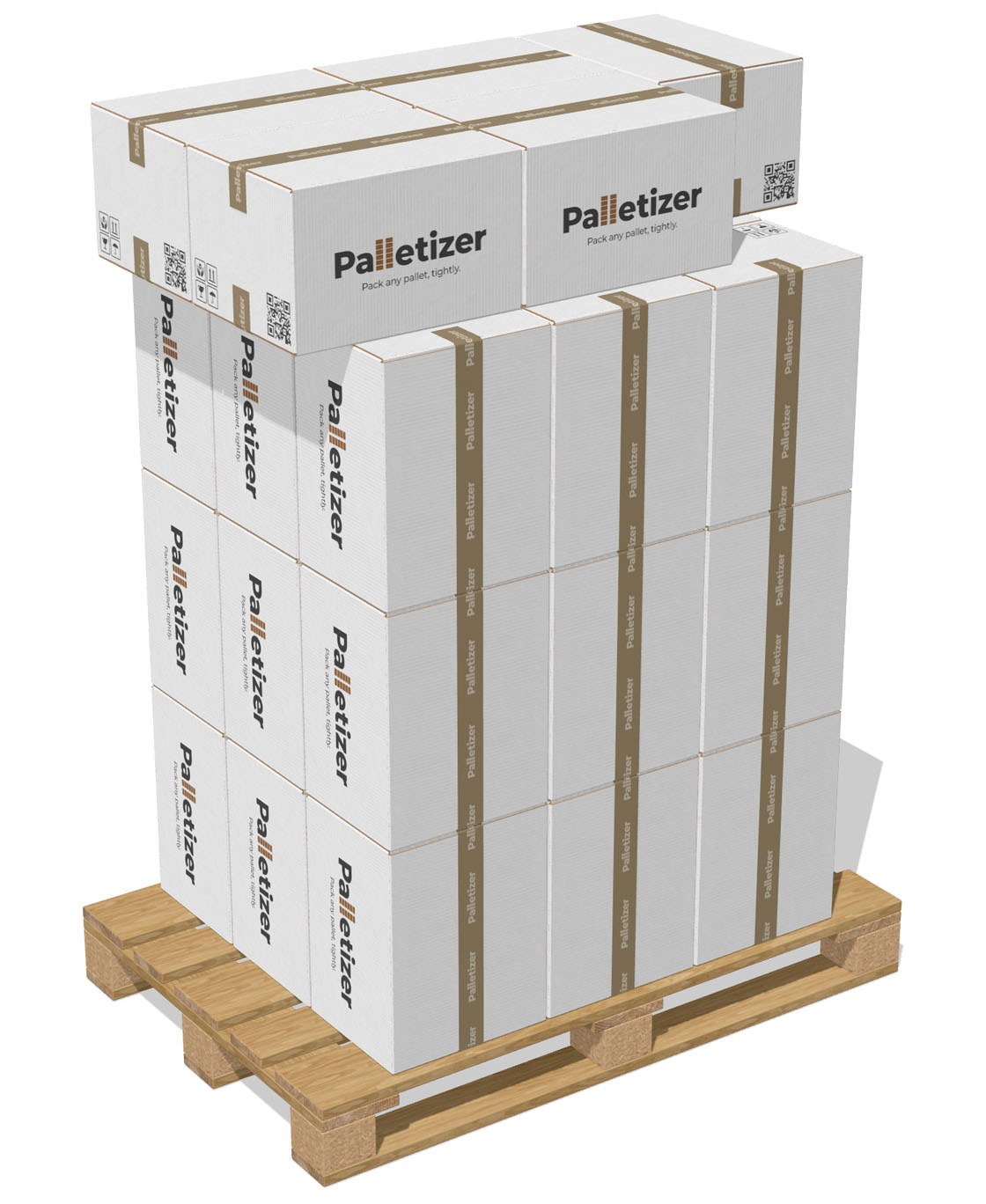
- Highest utilisation of the five
- Identical bottom tiers — no stairs
- Roof packing finds the odd space
- Deterministic where it matters
Everything in the tool
What the tool can do
Set the pallet and the carton, pick a stacking method and get the figures for layers, weight and the number of pallets.
Pallet
Choose a ready format or set your own.
- EUR1 1200 × 800, EUR2 1200 × 1000, EUR3 1000 × 1200, EUR6 800 × 600, EUR7 600 × 400
- North America: 48 × 40, 48 × 48 and 42 × 42 inches
- Australia: 1165 × 1165 and 1140 × 1140, Japan: 1100 × 1100
- Any size of your own, in millimetres or inches
- Pallet height and the maximum stack height, to work out the number of layers
Carton
Set the size and the weight of the carton.
- Length, width and height
- The weight of one carton, for the weight of the pallet
- Tape settings for the 3D preview
- Three carton orientations
- A real corrugated carton in the 3D preview
Stacking
Five algorithms — from a basic stack to a search for the best placement of the cartons.
- Aligned — one orientation and even rows
- Mixed — two orientations in one layer
- Free 3D — the best of six ways the carton can stand on a face
- Free fit — placement without fixed layers
- Max cuboids — dense layers below and the space under the top filled in
Figures
Everything needed to plan the load.
- Cartons per layer, layers, and cartons on the pallet
- The weight of one carton and of the whole pallet
- How much of the usable volume is filled
- The number of pallets a given run needs
- The carton dieline as SVG or PDF
- Everything is worked out right on your device
Custom design
Brand the carton in a couple of minutes
Open the design tab: load the artwork, add graphics, set the board and the finish — the change reaches every carton in the 3D preview at once.
- Load the artwork and edit it.
- PNG, JPG or SVG can be placed on the outer face of the carton. Add text, shapes and images, and work with layers.
- Board, print and finish.
- Choose the board, set the print and the finish — the carton in the 3D preview updates at once.
- Print-ready dieline.
- Get the dieline as SVG or PDF, with the design on it and the crease lines.
3D preview
A realistic carton and pallet in 3D
What stands on the pallet is a real carton, not a stand-in shape. Change a setting and the result is on screen at once.
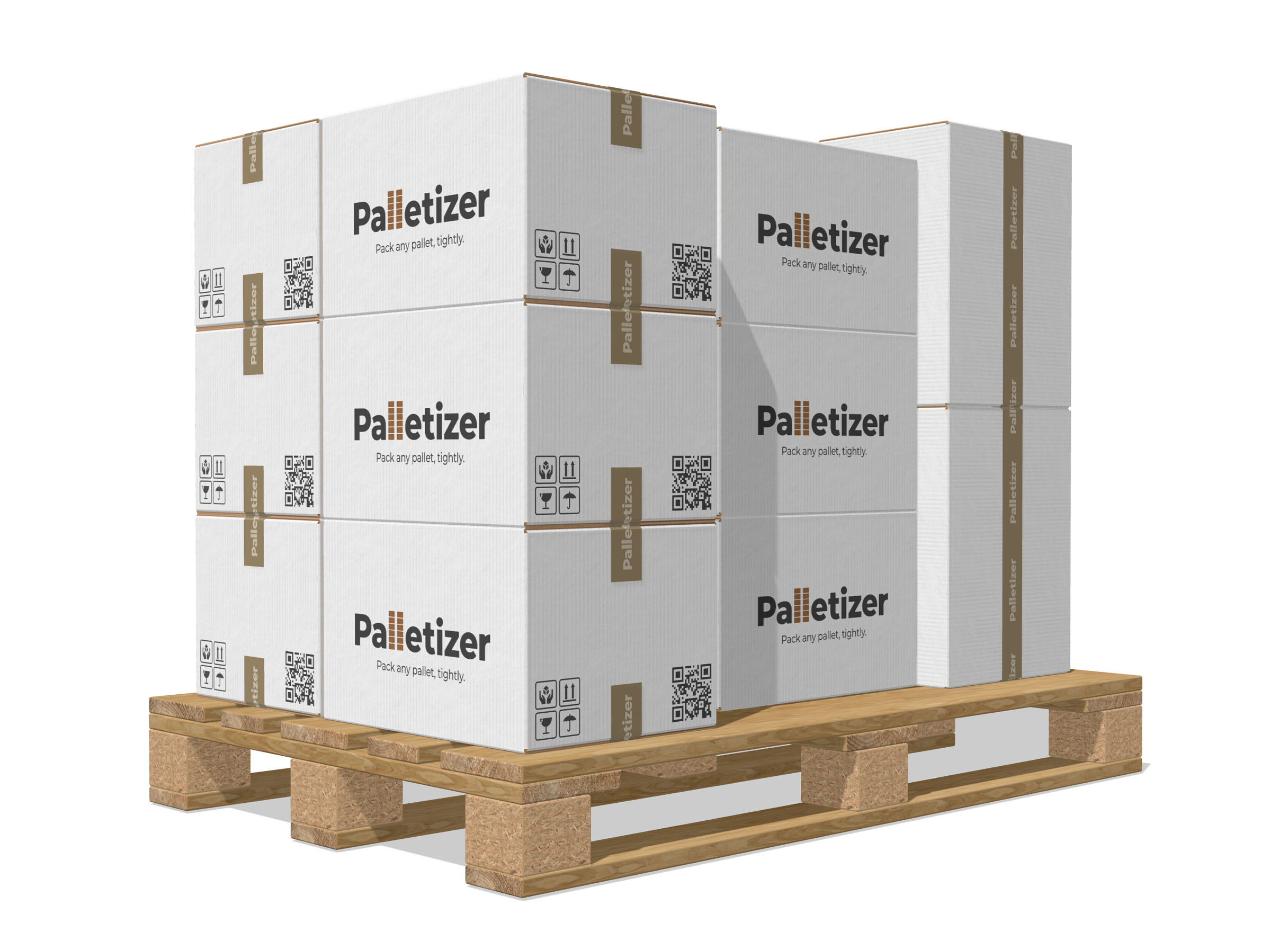
- Carton material.
- Pick kraft, greyboard or a colour of your own. Print, design and finish apply to every carton at once.
- Sealing tape.
- Set the width and the thickness of the tape, pick its colour or load a design of your own.
- EUR pallet.
- Blocks, planks and the end grain are all in 3D. Under the cartons is a full pallet, not a stand-in plinth.
How it works
From one carton to a loaded pallet in four steps
Nothing to install and nowhere to sign up. Set the pallet and the carton, and the stack appears at once.
Pick the pallet
EUR, NA, AUS or JP — or set a size of your own. Give the pallet height and the maximum stack height.
Describe the carton
Set the length, width and height, the weight of the carton and the tape settings for the 3D preview.
Pick the algorithm
Five ways to stack, from the basic one to more involved placements. The result follows every change you make.
Take the figures
Cartons per layer and per pallet, the number of layers, the total weight, the fill and the number of pallets needed.
Who it is for
For everyone planning a shipment
Wherever it matters to know in advance how many cartons a pallet takes, how many pallets are needed and what the whole thing weighs.
Logistics
Work out the number of pallets and the total weight, compare the ways of stacking and take the one that fits.
E-commerce and warehouses
See how the carton sits on pallets of different formats — EUR, ISO, US and others — before the delivery.
Packaging makers
See how many finished cartons a pallet takes and how a change in their size moves the load.
Production
Work out the load of the finished goods and settle in advance how many pallets a run will take.
Purchasing
Estimate the volume, the total weight and the number of pallets before ordering materials and transport.
Carriers
Settle the number of pallets, the height of the stack and the total weight before planning the run.
FAQ
Good to know
The questions that come up before the first pallet is worked out.
Is it really free?
Yes. Every algorithm, preset and export is free from the first open — no sign-up, no e-mail, no card and no trial period.
Do I have to register?
No. Palletizer runs right in the browser. No accounts, no e-mail and no card.
Which pallet formats are supported?
Ready formats for EUR, North America, Australia and Japan, plus a pallet size of your own. Sizes can be given in millimetres or inches.
How accurate are the pallet presets?
The presets match the standard formats they name: EUR1 1200 × 800, EUR2 1200 × 1000, EUR3 1000 × 1200, EUR6 800 × 600, EUR7 600 × 400; North America — 48 × 40, 48 × 48 and 42 × 42 inches; Australia — 1165 × 1165 and 1140 × 1140; Japan — 1100 × 1100.
Can I set my own pallet size?
Yes. Type the width and the length of the pallet, and give its height and the maximum stack height.
What carton orientations are there?
A carton can stand three basic ways — each of its three dimensions can become the height. Free 3D and Max cuboids try these and take the one that works.
Can the weight of a carton be counted in?
Yes. Give the weight of one carton and the tool works out the weight of the whole pallet from the count.
What does the calculation show?
Cartons per layer and per pallet, the number of layers, the total weight, how much of the usable volume is filled, and the number of pallets a given run needs.
Can I export the carton dieline?
Yes. The dieline downloads as SVG or PDF.
Is any of the data stored?
No. Everything is worked out locally in the browser. The pallet and the cartons are not uploaded to a server.
Work out your next pallet in a minute
Free, everything unlocked, no sign-up. All that is left is to type in the size of your carton.